Intellecto Kids Learning Games
- 4.1
- Rating
- 1.00M
- Installs
- Free
- Price

 Analysis by App-foxy
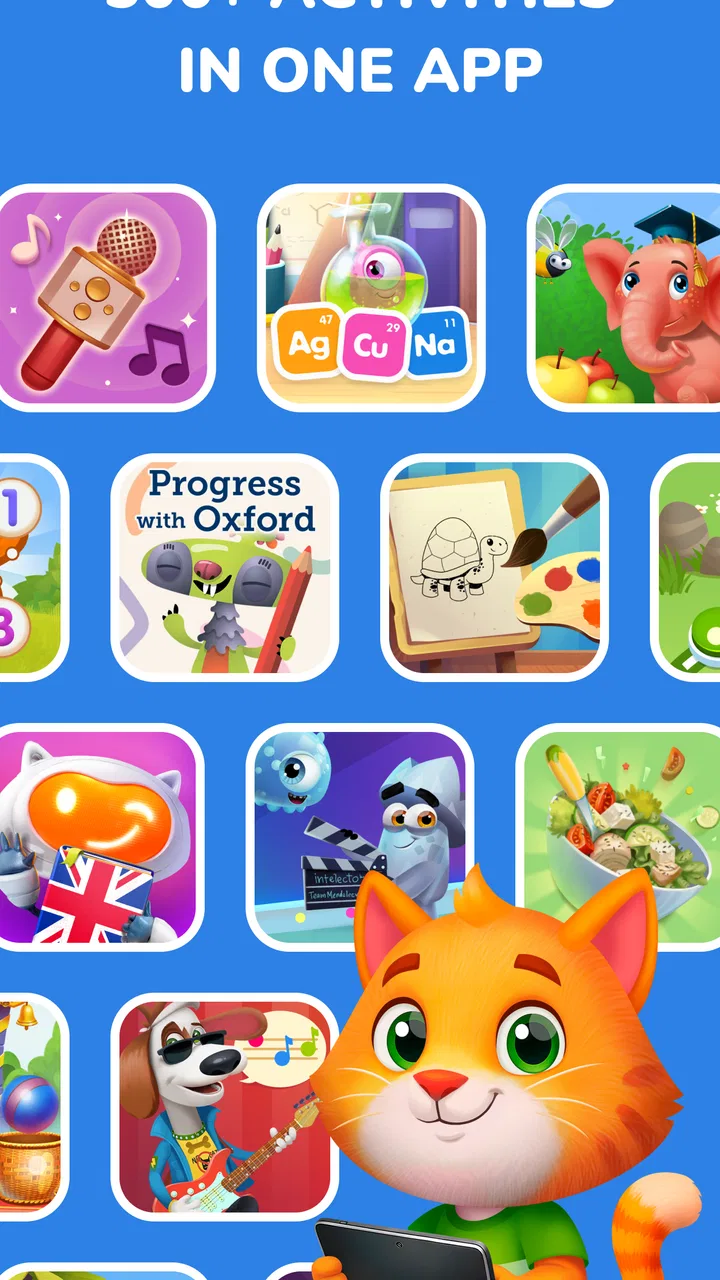
When I first opened Intellecto Kids Learning Games, I understood the appeal immediately: it turns early learning into a collection of short activities instead of asking a young child to sit through a conventional lesson. The focus is broad, covering numbers, letters, phonics, puzzles, and other preschool-friendly exercises. That range makes it easy to try during a quiet afternoon, while waiting at an appointment, or when a child needs a change from cartoons.
My more important question, though, was whether it would still feel useful after the first burst of curiosity. Many educational games are excellent at attracting attention for a few days and much weaker at becoming part of a realistic family routine. This one has enough variety to remain relevant, but its lasting value depends heavily on how an adult introduces it, how often the child uses it, and whether screen time is followed by something hands-on.
What the first week feels like
The opening experience is strongest for children who enjoy tapping, matching, listening, and solving small visual problems. A child can move between early literacy and numeracy activities without having to commit to one long course. That matters because preschool attention changes quickly. If counting becomes tiring, a puzzle or phonics activity can provide a different kind of challenge without leaving the same learning environment.
You May Also Like

 Blood Strike: 2.5 Anniversary
Blood Strike’s Loadouts Turn Every Drop Into a Tactical Gamble
A close look at Blood Strike’s custom loadouts: how fast access to signature weapons reshapes its battle royale rhythm, rewards preparation, and narrows the gap between fights.

 Pandora - Music & Podcasts
Pandora’s Music Is Easy to Start, but Harder to Recover
Pandora’s strength is its low-effort path from a seed to a station. Its weak spot is how much confidence it asks you to place in connection, setup, and quiet recovery.

 8 Ball Pool
 Is Built on Rivalries, Rematches, and Routine
A close look at the rivalries, rematches, shared routines, and unanswered safety questions that turn a quick pool match into a persistent mobile community.

 Samsung Music
’s Quiet Strength Is Playing What You Already Own
Its reach comes less from spectacle than from dependable access to a personal library. That simplicity is both the app’s strongest retention engine and its ceiling.

 AccuWeather: Weather Radar
AccuWeather Review: A Quick, Clear Forecast for Everyday Decisions
For everyday plans, the best forecast is the one you can understand quickly. AccuWeather makes rain timing, radar, and local conditions easy to act on, with a few trade-offs.

 Hill Climb Racing
Why Hill Climb Racing Still Turns Crashes Into One More Run
A tiny car, a bumpy hill and one more upgrade: Hill Climb Racing keeps resurfacing because its simple chaos makes every near-miss feel personal.
More From Our News Desk



I see this as a better fit for guided discovery than completely unsupervised use. A parent can sit nearby, listen to the child explain an answer, and turn a game prompt into a short conversation. For example, after a number activity, I would ask the child to find the same quantity using household objects. That simple follow-up prevents the lesson from staying trapped inside the screen and gives the child a chance to show genuine understanding.
The activities are also approachable for children who are just beginning to recognize letters or numbers. The game format lowers the emotional cost of making a mistake: a child can try again without feeling as though they have failed a worksheet. In my experience, that is one of the most useful qualities of a learning game for early learners. The child is more willing to experiment, especially when an adult responds calmly rather than treating every correct answer as a test result.
Families should keep expectations realistic during this first stage. This is not a replacement for reading aloud, drawing, building, singing, or talking. It is a structured digital supplement. The strongest first-week routine is short and intentional: choose one area, let the child explore, then connect the activity to real life. A counting session can lead to sorting socks; a phonics session can lead to finding objects that begin with the same sound.
The game is free to start, which makes that initial trial less risky. At the same time, in-app purchases range from $0.99 to $149.99 per item, so I would review the purchase settings before handing over a phone or tablet. The wide range means families should not assume that every part of the experience is included simply because the initial download costs nothing. A child should not be the person deciding whether an optional purchase is made.
Who benefits most from the early activities
I would recommend trying it first with preschool children who already respond well to visual instructions and brief challenges. It can also help a parent identify which learning areas naturally attract a child. One child may return to letter sounds, while another may prefer number recognition or puzzles. That preference is useful information, not a problem to correct immediately.
It is less suitable for a child who needs extensive physical movement, open-ended creativity, or a very quiet interface. A child who becomes frustrated by repeated digital prompts may learn more from blocks, magnetic letters, picture books, or an adult-led game. Likewise, if the goal is advanced reading instruction or formal school preparation, this broad early-learning approach may feel too general.
The developer is IntellectoKids Ltd, and the game belongs to the educational category rather than being a conventional entertainment title. That distinction is important: the reward is supposed to come from practice and discovery, not from a complex story or competitive progression. I found the best results came when I treated each session as a small learning invitation rather than expecting the app to occupy a child for a long stretch.
What remains useful after the novelty fades
By the second or third week, the main test changes. The child is no longer discovering every screen for the first time, so the question becomes whether the activities support repetition without feeling pointless. Early learning needs repetition, but repetition can quickly become dull when it is presented as the same task with no connection to the child’s daily world.
The broad subject mix helps here. Numbers, ABC practice, phonics, and puzzles exercise different skills, so the app can serve several small purposes across a month. I would not open it randomly every day and hope for progress. Instead, I would use a simple rotation: literacy on one day, number work on another, and a puzzle-based session when the child is tired but still wants a challenge.
The lasting value comes from using the game as a prompt for offline practice, not as a standalone lesson. After a phonics activity, I might choose three objects in the room and emphasize their first sounds. After a puzzle, I might ask the child to describe the shape, color, or position of the pieces. This approach makes the digital activity a starting point and reduces the risk that the child is only learning how to respond to the app’s particular visual cues.
One practical advantage is flexibility. A family does not need to prepare printed worksheets before a short session, and a parent can switch topics when a child’s attention changes. That makes it useful during transitions, such as before dinner or while traveling. However, convenience can also become the weakness: because it is easy to open, it is equally easy to use it as a default distraction rather than a deliberate learning activity.
I would create a small household rule around it. The child chooses between two areas, uses the game for a limited session, and then does one related activity away from the screen. This gives the child some control while keeping the purpose clear. It also makes progress easier to notice. If the child can identify a sound in the game but cannot recognize it in a book or conversation, the parent knows that more real-world practice is needed.
How it compares with familiar alternatives
Compared with a traditional workbook, this game is more responsive and inviting for children who dislike paper exercises. It can demonstrate a task visually and allow repeated attempts without filling a page with corrections. A workbook, on the other hand, develops pencil control and gives an adult a clearer physical record of what the child can do. I would use the game when motivation is low and paper when I want to observe writing or drawing skills.
Compared with a general video platform, it is more purposeful. The child is asked to interact with numbers, sounds, letters, or puzzles rather than simply watch. That does not automatically make every minute educational, but it gives the adult more opportunities to ask questions and observe choices. Compared with a single-skill app, its advantage is breadth; its trade-off is that it may not provide the same depth for one narrow learning goal.
Books remain better for building patience, vocabulary, imagination, and shared attention. A parent can pause on any page, follow the child’s questions, and connect the story to personal experience. This game is better when a child needs a short interactive exercise or when a family wants variety. I would not replace bedtime reading with it, because the social and language benefits of reading together are different.
Its average rating is 4.0 from around 8.3 thousand ratings, with about 383 written reviews, and it has passed one million installs. Those figures suggest that it has reached a substantial audience, but they do not tell me whether it will suit a particular child. The more useful signal is the child’s behavior after several sessions: does the child explain ideas, recognize them elsewhere, and return voluntarily without becoming upset when the session ends?
The maintenance work parents should expect
The maintenance burden is not technical complexity so much as adult involvement. Someone needs to choose suitable activities, keep sessions from becoming aimless, monitor purchases, and notice whether the child is practicing a real skill or merely tapping quickly. That may sound obvious, but it is the difference between an educational tool and a colorful time-filler.
I would also check the device before the first child-led session. Make sure the battery is adequate, notifications are not interrupting the activity, and the child cannot accidentally buy something. These are ordinary preparation steps, but they matter more with young children because a small interruption can end the learning mood completely. A consistent place and time can help, though I would avoid making the game feel like a compulsory lesson.
The current version is 4.70.1 and it requires Android 7.0 or later. For families using an older device, compatibility should be checked before planning a routine around it. The game is marked for Everyone, which fits its broad early-learning purpose, but an age label does not replace supervision. A parent still needs to decide whether the pace, visual style, and activity level suit the individual child.
Another useful habit is to stop while the child is still engaged. Ending after a successful activity is often better than waiting until frustration appears. This also protects the game’s long-term appeal. If every session continues until the child is bored, the app becomes associated with fatigue. Shorter sessions leave room for the child to remember what was learned and return with a positive expectation.
Families should also be prepared for uneven progress. A child may recognize letters but struggle with sounds, or count confidently while confusing written numerals. I would not treat that unevenness as evidence that the game is failing. Instead, I would use the weaker area briefly and then return to a preferred activity. The aim is steady exposure, not forcing every skill to improve at the same speed.
Where fatigue can appear
The first source of fatigue is repetition without a clear purpose. If the child keeps replaying familiar tasks only because the app is available, the learning value may flatten. The solution is not necessarily more screen time; it is a better transition from digital practice to physical examples. A five-minute search for letters on food packaging can be more valuable than another unplanned session.
The second source is parental overuse. Because the game covers several subjects, it can be tempting to treat it as a complete preschool program. I would resist that. It does not replace conversation, movement, sensory play, drawing, pretend play, or direct teaching. A child who spends too much time inside any one digital system may become skilled at its patterns without gaining equal confidence in unfamiliar situations.
A third issue is the free-to-start model. The purchase range means adults need to understand what they are allowing before a child explores independently. Even when a family decides that optional content is worthwhile, the decision should be based on a specific learning need rather than the pressure of a locked or unfamiliar activity. Setting a clear boundary also prevents the child from equating progress with buying access.
There can also be fatigue when a child’s level changes faster than the adult notices. If the activities feel too easy, the child may tap through them without thinking. If they feel too difficult, the child may guess or quit. I would watch for these signs and alternate between comfortable practice and a modest challenge. The game works best when it supports confidence without removing all effort.
For children who are sensitive to sound, animation, or frequent prompts, I would test a short session while staying nearby. If the style seems overstimulating, a quiet book, wooden puzzle, or adult-led activity may be the better choice. The fact that a game is educational does not mean its presentation will suit every learner.
Does it earn a place in a lasting routine?
My long-term verdict is positive but conditional. Intellecto Kids Learning Games earns a place as a flexible supplement for early learning, especially in homes that use it with conversation and offline follow-up. Its strongest quality is the combination of several preschool topics in one accessible game. That makes it easier to adapt a session to a child’s mood than a single-purpose exercise would be.
I would recommend it to parents who want a free starting point, who are comfortable supervising short digital activities, and who will connect the exercises to books, objects, sounds, and everyday counting. It is particularly useful when a child needs encouragement to practice a basic concept without the pressure of a worksheet. The Everyone content rating also makes it approachable as a family learning tool, provided an adult remains involved.
I would skip it, or keep it only as an occasional option, if the family is looking for a fully offline routine, advanced curriculum, handwriting development, or long-form storytelling. Children who become irritable when a screen session ends may also benefit more from physical activities with a clear beginning and end. In those cases, the convenience of this game may not outweigh the effort required to manage it well.
The game is free, but the in-app purchase range deserves attention before regular use. I would begin without spending, observe which skills the child actually needs, and only then consider whether additional content justifies the cost. That approach keeps the decision grounded in the child’s development instead of the novelty of having more activities available.
After the first month, I would ask three simple questions: Is the child recognizing ideas outside the game? Can the child explain an answer rather than only tap it? Does opening the app still lead to focused practice instead of automatic screen time? If the answers are mostly yes, it is doing useful work. If not, I would reduce its role and return to books, play, and direct interaction.
Overall, I see this educational game as a practical tool rather than a complete learning solution. It can make numbers, ABC practice, phonics, and puzzles more inviting, but its recurring value comes from the routine built around it. Used thoughtfully, it deserves a regular but limited place. Used as a babysitter or substitute for broader early childhood learning, it is much less convincing.
FAQs for Intellecto Kids Learning Games
01What age group is Intellecto Kids Learning Games suitable for?
Intellecto Kids Learning Games is designed for children aged 3 to 7 years old. The app provides age-appropriate activities that aim to develop cognitive skills, such as problem-solving, creativity, and critical thinking, through engaging and interactive gameplay tailored to each developmental stage.
02What types of educational content does the app offer?
The app offers a diverse range of educational content, including math, literacy, logic, and memory games. It also features puzzles, creative activities, and interactive stories designed to enhance a child's learning experience while keeping them entertained and motivated.
03Is there parental control available in the app?
Yes, Intellecto Kids Learning Games includes parental controls that allow parents to monitor their child's progress. Parents can customize settings to restrict certain features, track learning outcomes, and ensure a safe and educational environment for their children within the app.
04Does the app require an internet connection to function?
While some features of Intellecto Kids Learning Games may require an internet connection, many activities are available offline. This allows children to enjoy the educational content without the need for continuous internet access, making it convenient for travel or areas with limited connectivity.
05Are there any in-app purchases or ads in Intellecto Kids Learning Games?
The app may offer in-app purchases to unlock additional content or features. However, it is designed to be ad-free, ensuring a distraction-free learning environment for children. Parents should review purchase options and settings to prevent unauthorized transactions.
Pros
- Engaging games for children.
- Educational content is diverse.
- Easy-to-navigate interface.
- Colorful and appealing graphics.
- Supports multiple languages.
Cons
- Requires in-app purchases.
- Limited offline functionality.
- Ads may interrupt gameplay.
- Subscription can be pricey.
- Setup may confuse younger kids.

Intellecto Kids Learning Games
Gallery